
You don’t realize how much data you have until your laptop flashes that familiar storage full warning. The photos add up. “Work files increase.” Video library grows. Backups quietly take up space in the background. Soon, digital clutter is less of an inconvenience and more of a daily headache. That’s where Network Attached Storage, or NAS for short, comes in.
At first glance, NAS might seem like a corporate IT department and server room humming under fluorescent lights. It’s become surprisingly relevant to small businesses, creative professionals, home users and just about anyone dealing with growing amounts of digital content.
The appeal is straightforward. They want their files accessible, organized, protected and available across devices without having to juggle external hard drives or pay for endless cloud subscriptions.
What Network-Attached Storage Really Means
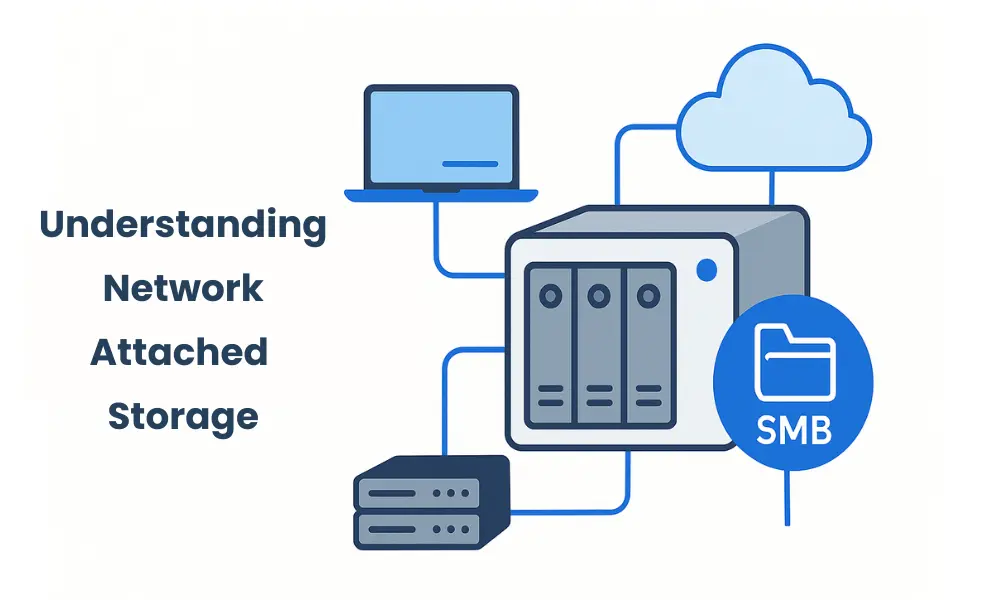
The technical definition of NAS is straightforward. NAS (Network Attached Storage) is a storage device that is attached to a network and provides storage and retrieval of data from a centralized location for authorized network users and heterogeneous clients. That sounds formal but consider this.
Think of it as a personal digital storage hub, located right in your home or office. Files are stored in one central system and can be accessed through your network instead of having to store everything separately across laptops, desktops, tablets and USB drives. That centralization changes the way we manage our data. Want to take family photos off your phone? Need to share files with a team? Require automatic backups to run without any user intervention? NAS can do surprisingly well with those kinds of workflows.
Many modern NAS devices are more than just data storage. They can handle media streaming, surveillance recording, cloud sync, virtual environments, and even run lightweight applications. The humble storage box has come a long way.
Why NAS is Becoming More Relevant in a Data Heavy World
“We’ve changed the relationship with digital storage. High resolution photography, 4K video editing, remote work files, software development environments, smart home footage and business analytics all produce vast amounts of data.
Cloud storage is a help, of course. But using only cloud platforms brings up questions about ongoing costs, dependence on the internet, transfer speeds, privacy preferences and control over data ownership. That is one of the reasons NAS is still under the spotlight.
The NAS system gives your local access, centralized management and usually more control over how data is stored and protected. And for photographers, content creators, engineering teams and growing businesses, that control can be very valuable.
I found Roots Analysis and they said this market is growing steadily as organizations and individuals manage increasingly complex digital environment. The global network attached storage (NAS) market size is expected to expand from USD 47 billion in 2026 to USD 207 billion by 2040, registering a CAGR of 11.13% over the forecast period, 2026-2040. That growth is representative of a larger reality: the production of data is not slowing down anytime soon. If anything, we are becoming more dependent on storage infrastructure that balances accessibility, scalability and security.
NAS vs. Cloud Storage: It’s Not Always an Either Or Decision
Whenever the topic of NAS is mentioned, the argument is usually set up as a battle between local storage and cloud storage. There’s a nuance that analogy loses. Cloud services are very convenient. They streamline remote access, sync, collaboration and off-site backup administration. The strengths of NAS systems vary.
They can provide quicker local file access, predictable long-term costs, customizable storage configurations, and more direct administrative control. The benefits can be significant if you’re working with large media files or sensitive information. In practice many people use hybrid setups.
A NAS device handles primary storage and local backups; cloud platforms provide redundancy, remote sharing, or disaster recovery support. That blended approach is how real users often think. People don’t necessarily want ideological storage purity. They want solutions that work reliably.
Setting up and Using NAS in Practice
One reason some newcomers shy away from NAS is that the set-up looks painfully technical. The truth is more even. Modern NAS appliances are much more user friendly. Companies have polished their interfaces, guided installation processes, mobile apps and administrative tools. But there is a learning curve.
Users may come across terms such as RAID (Redundant Array of Independent Disks) configurations, drive redundancy, user permissions, storage pools and network settings. Those topics can feel scary to start with. The good news is that advanced systems administration skills are rarely required for basic use cases.
Many home users can set up NAS systems to serve media libraries, automated backups or family file sharing without having to be networking experts. That said, it is well worth spending a little time understanding backup strategy and storage redundancy. An important point that storage professionals have been known to repeat often is simply this: RAID is not a backup. That sentence usually surprises people. Redundancy protects you from some hardware failures, but it is not a replacement for good backup planning.
Data Security, Reliability, and Control
There’s a subtle psychological shift that comes with using NAS. You have more control over your data, but you also have more responsibility. Security is necessary. Important considerations: Strong authentication practices, software updates, access management, encrypted connections and backup discipline. Businesses need to consider carefully the risks of ransomware, unauthorized access, and disaster recovery readiness.
Reliability is also another important factor. Hard drives do fail. The lights go out. People do stupid things. NAS systems can help mitigate this with redundancy and centralized control, but good configuration still counts. But the upside is significant. Many users are happy to have tangible ownership of their digital surroundings, rather than rely on third party ecosystems. It’s good to know just where your files are and how they are handled.
The Future of NAS: Smarter, More Connected
The technology of NAS continues to evolve in line with general IT trends. Increased market prominence for artificial intelligence-powered storage management, enhanced cybersecurity features, hybrid cloud integration, high-performance networking and intelligent automation.
Small businesses are increasingly using NAS to support virtualization, collaborative workflows and remote operations. Creative industries still rely on NAS for large scale media management. Home users are finding new uses for smart homes, personal cloud services and multimedia streaming environments. Storage technology doesn’t often get glamorous headlines, but its importance is quietly growing in the background. And that feels right, honestly.
Conclusion: More than a Full Box of Hard Drives
Network Attached Storage is often overlooked because it sounds technical and mundane. But look a little closer and NAS stands for something increasingly important in our digital lives today: centralized, accessible, user-controlled data management. It lives in the space between personal ownership and connected convenience.
Whether you’re backing up a creative studio, a remote business team, a growing family photo collection or a home media ecosystem, NAS provides practical solutions to the never-ending growth of digital information. This technology is not magic. It requires planning, maintenance and a willingness to learn. But for many users, that effort is worth it.
Because once your digital world gets big enough, storage is no longer just a matter of capacity. It’s about trust, it’s about access, it’s about organization, it’s about knowing that the files you care about are going to be there when you need them.
