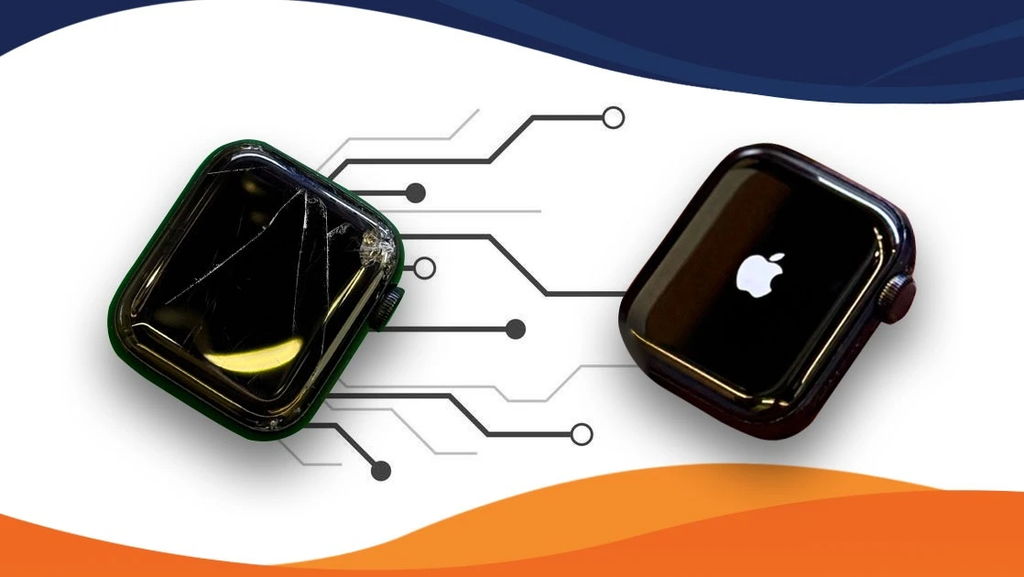
An Apple Watch supports daily routines through fitness tracking, notifications, communication, and convenient access to essential information. However, frequent use, accumulated dirt, outdated software, and battery wear can affect its performance over time. Regular maintenance helps keep the device responsive and comfortable to use while identifying potential problems early. Understanding when basic care is sufficient and when to consult an Apple Watch Service Center can help users make informed decisions about maintaining their smartwatch.
Understanding What Affects Apple Watch Performance
Several factors influence how efficiently an Apple Watch operates. Battery condition, available storage, software compatibility, sensor cleanliness, and connectivity can all affect its everyday performance. A watch that responds slowly or loses charge quickly may not necessarily have a major hardware fault.
Developing consistent maintenance habits can help prevent avoidable problems. Cleaning the device carefully, reviewing settings, installing compatible updates, and monitoring changes in performance are useful starting points. When problems persist despite these measures, a technical assessment may help identify whether a component needs attention.
Essential Maintenance Habits for Everyday Use
Simple maintenance practices can help preserve functionality without requiring complicated tools or technical knowledge. The following habits address common areas that influence performance and reliability.
1. Keep the Display and Sensors Clean
Dirt, sweat, lotion, and moisture can accumulate around the display, back sensors, and casing during everyday activities. These deposits may interfere with comfortable use or sensor readings, particularly after workouts. Clean the watch using a soft, lint-free cloth and follow Apple’s cleaning guidance for your specific model. Avoid abrasive materials, harsh chemicals, and inserting objects into openings. Keeping the device clean also makes it easier to notice cracks, loose components, or other visible changes that may require professional attention.
2. Manage Battery Consumption Carefully
Battery life depends on usage patterns, settings, battery age, and the functions running in the background. Frequent notifications, prolonged workouts, demanding applications, and high screen brightness may increase power consumption. Review notification permissions, adjust brightness when appropriate, and disable features you rarely use. If the battery drains unusually quickly despite reasonable settings, monitor the pattern before assuming replacement is necessary. Persistent charging difficulties, unexpected shutdowns, or significant battery deterioration may require a professional assessment.
3. Keep Software Updated
Compatible software updates can introduce improvements, security fixes, and corrections for known issues. Check for available updates through the Watch app on your paired iPhone or the watch’s settings, following Apple’s instructions. Before updating, ensure the devices meet the required conditions and have sufficient power and connectivity. Avoid interrupting an update once it begins. If installation repeatedly fails or the watch becomes unresponsive, investigate the reported error rather than repeatedly attempting the same process without understanding the cause.
4. Review Storage and Installed Applications
Applications that are rarely used can occupy storage and contribute to unnecessary background activity. Review installed applications and remove those you no longer need. You can also manage downloaded music, podcasts, and other content according to your usage habits. Keeping storage organized makes it easier to manage the device and locate useful applications. If the watch continues to behave unexpectedly after unnecessary content is removed, consider whether a software issue, compatibility problem, or hardware fault could explain the symptoms.
5. Protect the Watch From Physical Damage
Daily wear exposes an Apple Watch to impacts, scratches, dust, and moisture. Although water resistance varies by model and condition, it should not be treated as permanent or guaranteed protection. Avoid exposing the watch to substances or conditions outside the manufacturer’s recommendations. Choose suitable protection for your activities, and inspect the strap and casing periodically. If the display cracks, buttons stop responding, or moisture appears beneath the screen, stop using the affected functions and seek appropriate technical advice.
6. Maintain Reliable Connectivity
An Apple Watch relies on Bluetooth, Wi-Fi, cellular connectivity where supported, and communication with compatible devices for various functions. Connection problems may affect notifications, application updates, and synchronisation. Confirm that Bluetooth is enabled on the paired iPhone, check relevant network settings, and keep both devices within a suitable range when required. Restarting the devices may resolve temporary glitches. If disconnections continue despite basic troubleshooting, a technical assessment can help determine whether software settings or hardware components are involved.
Recognizing When Maintenance Is Not Enough
Routine care cannot resolve every smartwatch problem. Persistent overheating, charging failures, display damage, malfunctioning buttons, or sensors that repeatedly stop working may indicate a hardware issue. Repeated restarts, unexplained shutdowns, and problems following physical impact also deserve attention.
Before seeking assistance, note when the symptoms began, which functions are affected, and whether the problem occurs consistently. This information helps explain the issue during assessment. An Apple Watch Service Center can evaluate reported faults and advise whether repair, component replacement, or another solution may be appropriate. Avoid opening the watch yourself because its compact construction makes internal components difficult to handle safely.
Quick Practices to Support Better Performance
Consistent care can reduce avoidable wear and make changes easier to identify before they become disruptive.
- Clean the watch gently after exercise.
- Review battery usage and notification settings regularly.
- Install compatible software updates carefully.
- Remove unnecessary applications and downloaded content.
- Inspect the display, casing, and strap for visible damage.
- Follow manufacturer guidance for charging and water exposure.
These small steps help establish a practical maintenance routine without adding unnecessary complexity. Keep track of persistent changes rather than assuming every performance issue can be resolved through settings.
Conclusion
Improving Apple Watch performance starts with consistent cleaning, sensible battery management, software updates, and protection against everyday damage. When problems continue despite these practices, professional assessment can help determine the most suitable next step.
For customers seeking an Apple Watch Service Center, 800fixing provides Apple Watch repair services, including screen and battery-related repairs, along with support for other Apple devices. Its technicians can assess reported problems and explain available repair options. Contact 800fixing to discuss your Apple Watch concerns and explore a suitable solution for keeping your device functional and dependable.