
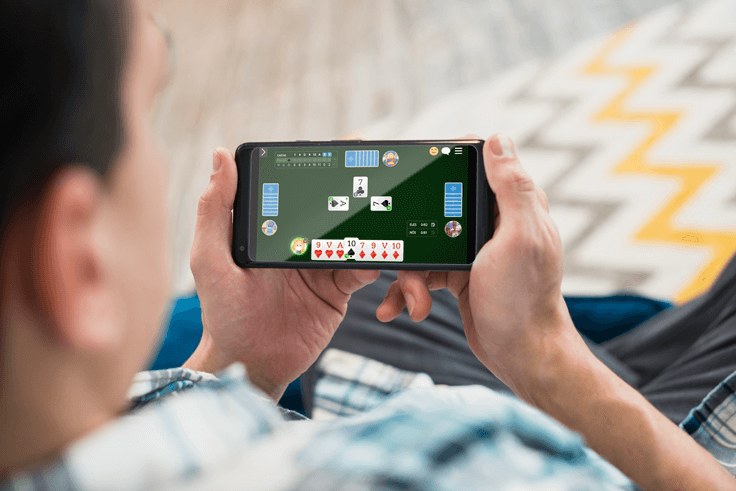
There is something special about a card game that fits in your pocket. Love Rummy takes the classic rummy table — the melds, the runs, and the quiet thrill of drawing exactly the card you need — and puts it on the phone you already carry everywhere. No table to set up, no deck to shuffle, no waiting for friends. You open the app, take your seat, and the game is ready within seconds. For many players, mobile is simply the way they play now. This guide walks through the complete mobile experience, from your first hand to the small habits that make phone play smooth and fun.
Why Mobile Is the Natural Home for Rummy
Rummy is a game of short, sharp decisions: look at your hand, weigh one discard against another, and make your move. That rhythm suits a phone perfectly. A hand takes only a few minutes, so a game fits into the gaps of an ordinary day — the morning commute, a lunch break, or a quiet half hour on the sofa. Mobile play also lowers the barrier for new players. There is no audience watching over your shoulder, and the game keeps track of the rules, the melds, and the scoring. You can learn at your own pace and build confidence hand by hand.
Getting Started on Your Phone
Getting started takes only a few minutes. Open your phone's browser or app store, find the game, and set up your account with a username and a secure password. You can usually be at a table within moments of finishing the short sign-up. Before your first hand, take a minute to look around: find the lobby, check the game modes, and visit the practice tables, where you can play without pressure while you learn the layout. Check the settings early too — your sound preferences, a table theme you like, and notifications set the way you want them. A little preparation makes every session after it more relaxing.
The Mobile Table: Designed for Small Screens
A good mobile card game lives or dies on its layout. Your cards sit in a neat fan along the bottom, large enough to read at a glance and spaced so you can tap the right one without hitting its neighbour. The discard pile and the draw pile sit within easy reach of your thumb, and the meld area keeps your sets and runs clearly separated from the cards still in your hand. The controls are simple on purpose: tap a card to select it, tap again or drag it to discard, and use the sort button to arrange your hand by suit or by sequence. A tidy hand lets you spot a run forming or a set waiting for one more card. The table also handles the bookkeeping, highlighting valid melds and updating the score, so an illegal move cannot slip through by accident.
Playing on the Go: Anytime, Anywhere
The real joy of mobile rummy is freedom. You can play on the train, in a waiting room, or while dinner cooks, and the game pauses neatly around your life. A hand rarely demands more than a few minutes of attention, so you can play one quick game or settle in for a longer session — the choice is yours every time you open the app. That flexibility changes how people play: instead of one long weekly game, many mobile players enjoy several short sessions across the day, each one a fresh chance to practise.
Features That Make Mobile Play Smooth
Several small features add up to a smooth mobile experience. A stable connection matters most: play on Wi-Fi where you can, and the game will keep your seat safe through brief drops in signal. Push notifications can remind you when it is your turn in a slower game or when a tournament you entered is about to begin, Chat and emoji options let you enjoy the social side of rummy without typing long messages on a small keyboard. Tournaments and daily challenges are built for mobile too. And because your account travels with you, a game started on your phone can be picked up on a tablet later, with your progress and settings exactly where you left them.
Mobile vs Desktop: What Changes
Players who know rummy from a computer sometimes wonder what they lose on a phone. The honest answer is: very little. The rules are the same, the cards are the same, and the opponents are just as sharp. What changes is the feel. On a desktop you see the whole table at once, while on a phone the design is tighter and more focused, keeping your hand front and centre and everything else one tap away. Touch controls replace the mouse, and most players find tapping and dragging cards feels more natural than clicking within a few games.
Tips for a Better Mobile Rummy Experience
A few simple habits make mobile play better. First, try both portrait and landscape before you decide; many players sort their hand faster in landscape, where the cards spread wider. Second, keep your phone charged or near a charger during longer sessions, since a dead battery mid-hand is the one interruption the game cannot fix. Third, turn on the sort-by-sequence option, which groups your cards into potential runs and makes it easier to see what you are building. Finally, set your own pace — there is no prize for rushing a discard.
Final Thoughts
Mobile rummy works because it fits the game to your life instead of asking you to fit your life around the game. The table is in your pocket, the games are short, the controls are simple, and the experience is complete. If you have never tried rummy on your phone, there has never been a better time to start. Shuffle up, take your seat, and see how the game feels in your hands — visit https://loverummy.uk.com/ to begin your first mobile game today.
