
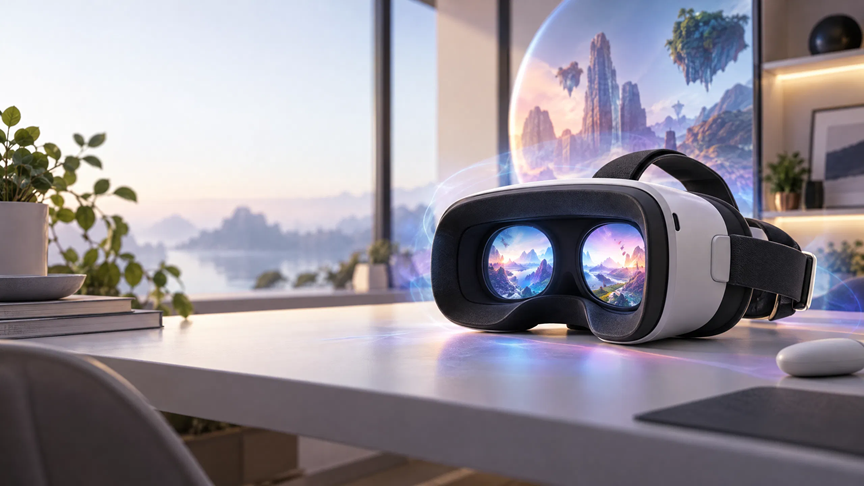
Virtual reality has moved beyond a niche hobby for early adopters. Modern headsets can support games, live events, fitness, education, social experiences, travel applications, and immersive video. However, choosing the right device is not as simple as selecting the model with the highest resolution or the most impressive specification sheet. The best headset depends on how you plan to use it, where you want to use it, and how much setup you are willing to manage.
A good buying decision starts with a clear understanding of comfort, tracking, content access, privacy, and long-term value. Some headsets are designed for people who want a simple standalone experience. Others are better suited to PC owners who want advanced graphics and a larger software library. There are also lightweight devices that focus on mixed reality, allowing digital objects to appear alongside the physical room.
This guide explains the most important factors to consider before buying a VR headset for immersive entertainment. It also covers content discovery, personal safety, privacy, and practical ways to make virtual reality more enjoyable over time.
Decide How You Will Use Virtual Reality
Before comparing models, identify the experiences that matter most to you. A person who wants to watch immersive videos occasionally may have different needs from someone who expects to play demanding PC-based games several times a week.
Standalone headsets are usually the most convenient option. They contain their own processor, battery, storage, display, and tracking cameras. You do not need a gaming computer or external sensors to begin using one. This makes them suitable for beginners, families, travelers, and people who want to move between rooms without connecting cables.
PC-connected headsets can provide stronger graphics and access to demanding computer-based software. Their performance depends partly on the computer, graphics card, connection method, and available space. This setup can deliver more detailed environments, but it may require additional configuration and a suitable cable or wireless network.
Some users want both options. A headset that works independently but can also connect to a computer offers more flexibility. It can provide a simple experience for everyday use while leaving room for more advanced content later. The trade-off is that these devices may cost more than entry-level models and can still require a capable computer for their most demanding features.
Compare Display Quality and Lens Design
The display is one of the first features people notice in VR. Resolution affects how clear text, scenery, and video appear inside the headset. A higher resolution can improve visual detail, but it does not automatically guarantee a better experience. Lens quality, software rendering, field of view, and the fit of the headset also influence what you see.
The field of view describes how much of the virtual scene is visible when you look straight ahead. A wider field of view can feel more natural because the image occupies more of your peripheral vision. A narrower field of view may feel more like looking through a pair of binoculars. The difference is important for cinematic video, exploration, and games that depend on awareness of the surrounding environment.
Lens design also affects clarity. Some lenses provide a relatively sharp image only in the center, while others maintain clarity across a larger portion of the view. This matters because people naturally move their eyes as well as their heads. If the edges of the image become noticeably blurry, you may need to turn your head more often.
Refresh rate is another consideration. It describes how frequently the display updates the image. A higher refresh rate can make movement appear smoother and may reduce discomfort for some users. It can also increase power consumption, so the available settings may depend on the headset, application, and battery level.
Treat Comfort as a Core Feature
A technically advanced headset is not useful if it becomes uncomfortable after a few minutes. Weight, balance, facial padding, strap design, ventilation, and adjustment controls all affect comfort. Try to evaluate the headset as a wearable device rather than treating it like a small game console.
The position of the battery can change how the headset feels. If most of the weight rests at the front, the device may place pressure on the cheeks or nose. A better-balanced design can feel lighter even when its total weight is similar. Facial interfaces made from soft, easy-to-clean materials are helpful for longer sessions and shared use.
Eyeglass wearers should check whether the headset supports glasses comfortably or accepts prescription lens inserts. The distance between the lenses and your eyes may also need adjustment. If the headset does not sit correctly, the display can look blurry and the device may cause unnecessary eye strain.
A good fit should feel secure without being excessively tight. You should be able to make small head movements without the headset sliding, but you should not need to fasten the strap so firmly that it creates pressure. If possible, try a demonstration unit before buying or confirm the retailer’s return policy.
Check Tracking and Movement Features
Most current VR headsets use cameras and sensors to track the position of the headset and controllers. Inside-out tracking is convenient because it does not require separate sensors placed around the room. The quality of that tracking depends on lighting, room layout, surface detail, and the software’s ability to understand the environment.
If you plan to play active games or fitness applications, room-scale tracking deserves special attention. Confirm how much space the headset recommends and whether it can remember a play area. A clear boundary system can warn you when you are approaching furniture or walls. Even with these tools, the room should be cleared before an active session begins.
Hand tracking can make menus and simple applications easier to use because you can interact without holding controllers. It may not replace controllers in every game, especially when precise buttons, triggers, or haptic feedback are important. Consider hand tracking a useful addition rather than a complete substitute.
Mixed reality features use cameras to show parts of the physical environment inside the headset. This can help you find a phone, interact with virtual objects on a real table, or move between virtual and physical tasks. Camera quality and software support vary, so check whether the applications you want actually use these features.
Review Battery Life and Storage
Battery life can determine whether a headset feels practical. Immersive applications often use the display, processor, cameras, and wireless connection at the same time, which can consume power quickly. A headset that provides only a limited session may still be suitable for short videos, but it could be frustrating for long games or shared gatherings.
Look at how the battery is charged and whether replacement or extended battery accessories are available. A longer cable can make stationary use easier, but cables should be arranged carefully to prevent trips. Battery-powered straps can improve balance and extend sessions, although they add cost and weight.
Storage capacity matters if you plan to install many applications or save high-resolution videos locally. Streaming can reduce the need for storage, but it depends on a stable internet connection. Downloading content is useful for travel and locations with limited connectivity. Before buying, estimate how much content you expect to keep on the device rather than relying only on the headline storage number.
Explore the Content Ecosystem
A headset is valuable because of the experiences it can access. Compare the available application stores, subscription services, streaming options, and PC compatibility before choosing a device. A less expensive headset may become poor value if it cannot run the content you care about.
Check whether the platform includes the genres you enjoy. These may include interactive games, documentaries, concerts, virtual travel, exercise programs, social spaces, creative tools, and immersive video. Read recent reviews where possible because application quality and platform support can change over time.
Video content deserves particular attention. Some services offer standard video, 180-degree immersive video, or 360-degree video. These formats are not identical. A 360-degree video lets you look around the scene, while a 180-degree immersive video often concentrates detail in the area in front of you. The camera technique, resolution, and streaming quality can have a major effect on comfort and realism.
Adults who are exploring age-restricted entertainment should also consider clear labeling, reliable age controls, and privacy policies. For example,VR organizes adult-oriented VR categories behind an age gate. Regardless of the service, users should confirm that content access is lawful in their location and should avoid sharing personal information unnecessarily.
Consider Audio and Social Features
Sound contributes significantly to immersion. Built-in speakers can be convenient, but headphones may provide stronger separation and privacy. Check whether the headset supports wired audio, wireless headphones, or both. If you expect to use the headset around other people, audio leakage and microphone controls are worth considering.
A clear microphone is useful for multiplayer games, virtual meetings, and social applications. Review how the headset indicates when the microphone is active and whether you can mute it quickly. Social platforms may collect account information, voice data, interaction history, or other usage details, so read their privacy settings before joining public spaces.
Some headsets offer avatars, virtual rooms, and shared experiences. These can be enjoyable, but the quality of a social platform depends on its community and moderation tools. Look for options that let you block, mute, report, or limit contact with other users. These controls are important for adults and especially important when a headset may be used by younger members of a household.
Protect Privacy and Personal Information
VR devices can collect more information than a traditional screen. Depending on the model and applications, this may include account details, purchase history, voice recordings, movement data, hand positions, room scans, and information about how you interact with virtual objects. Not every application uses every type of data, but the possibility deserves attention.
Start by reviewing the headset manufacturer’s privacy policy and the permissions requested by individual applications. A video player may need network access, but it may not need access to contacts. A social application may need a microphone, but you should understand when that microphone is active. Deny permissions that are not necessary for the feature you want to use.
Use a strong account password and enable multi-factor authentication if the platform supports it. Avoid storing payment information on shared devices unless you understand the available purchase controls. If several people use the headset, create separate profiles where possible and use a passcode for purchases or account changes.
Room scanning also deserves careful consideration. Boundary maps can describe the layout of a home. Choose the minimum room access required for the experience, and delete saved room data if you sell, lend, or permanently stop using the device. These simple steps reduce the chance that old environmental information remains attached to the headset.
Reduce Discomfort During Longer Sessions
New users should begin with short sessions and gradually increase the time spent in VR. Discomfort may occur when the eyes see movement but the inner ear senses that the body is stationary. This mismatch can contribute to nausea, dizziness, sweating, headache, or fatigue.
Use comfort settings such as teleport movement, snap turning, reduced visual effects, or a stationary play mode when available. Stop as soon as you feel unwell rather than trying to push through the symptoms. Fresh air, a clear room, and reasonable screen brightness can also improve the experience.
Keep the lenses clean with the method recommended by the manufacturer. Do not use household chemicals unless the instructions specifically permit them. Give the headset breaks between users, especially when the facial interface becomes warm or damp. These habits improve both hygiene and long-term equipment condition.
Think About Total Cost, Not Just the Headset
The purchase price is only one part of the budget. You may also need a protective case, a more comfortable strap, prescription lens inserts, headphones, a charging accessory, games, subscriptions, or a computer upgrade. Include these costs before deciding whether a device is affordable.
Software prices and subscription terms vary. Some platforms offer free experiences, while premium applications may require separate purchases. Review refund policies and account restrictions before buying a large library. A headset that costs slightly more but includes the content and comfort features you need may provide better value than a cheaper device that requires many upgrades.
It is also wise to check the manufacturer’s support record. Look for firmware updates, replacement parts, warranty coverage, and repair options in your region. Virtual reality technology changes quickly, but a headset with reliable software support can remain useful for years.
Make the Final Choice With a Simple Checklist
The ideal VR headset should match your main use case, comfort needs, content preferences, and privacy expectations. Before ordering, confirm that it can access the applications you want, fits your face comfortably, provides suitable battery life, and supports the movement features you expect.
For a beginner, a standalone headset with strong tracking, simple setup, and a broad content library is often the most practical starting point. For a PC gamer, compatibility with the computer and preferred software may be more important than standalone convenience. For immersive video viewers, display clarity, audio quality, comfort, and streaming performance should receive the most attention.
There is no single best headset for everyone. The right choice is the one that you can wear comfortably, operate safely, and use regularly. By comparing the complete experience rather than focusing on one specification, you can choose a device that makes virtual reality more accessible, enjoyable, and private.
