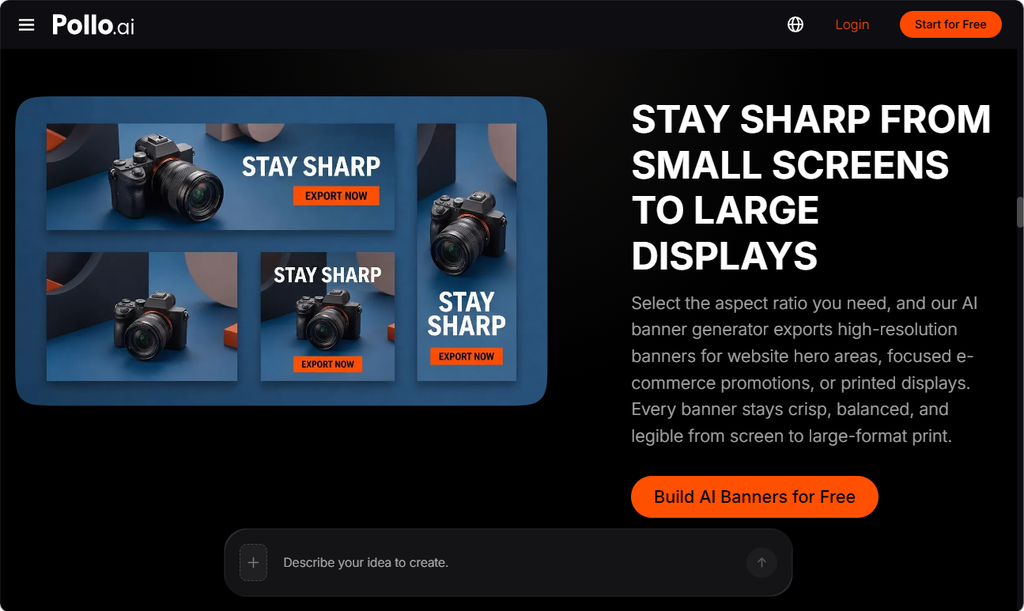
Small shops often run several promotions in one month, including weekend discounts, seasonal offers, new arrivals, and local events. Creating a new banner for every promotion can be difficult when one person manages inventory, customer service, and marketing.
Pollo AI helps turn a monthly promotion calendar into a more organized visual workflow. This guide explains how small shops can use the free AI banner generator by Pollo AI to prepare recurring sale banners, create product scenes, and connect promotional visuals with product-page content.
Map the Month’s Promotions and Build a Reusable Visual System
A month of sales is easier to manage when you start with the calendar. List every promotion, from new-arrival announcements to loyalty offers, and give each banner one clear message so customers are not confused. This planning phase lets you verify critical information, such as prices and dates, before building a reusable visual system that keeps your brand recognizable throughout the campaign.
To maintain professional standards across your monthly output, you should:
- Focus on one primary message per banner, so each one asks for a single action.
- Establish stable brand rules, including fixed logo positions and consistent headline styles.
- Define a repeatable CTA format and a specific color palette to build visual trust.
- Organize all approved assets—such as high-quality product photos and color references—in a single, accessible folder.
By keeping this foundation stable while rotating seasonal accents and featured products, you build a recognizable brand voice across platforms, so each promotion starts from a tested framework rather than a blank page.
Build the monthly banner set
Start with one representative promotion, such as the first weekend sale. Review the layout before generating the remaining banners. Check whether the headline, product, offer, and CTA are easy to find. Use the free AI banner generator in Pollo AI to create the first banner direction. Provide the promotion details, target audience, product image, preferred tone, and intended placement.
Once the direction is approved, adapt it for the rest of the month. Change the product- and promotion-specific content while keeping the general structure consistent. Avoid changing all design elements at the same time. Controlled variations make the monthly campaign easier to review and improve.
Keep product pages in step with the banner
Sale banners bring attention to a product, but shoppers may need more information before ordering. Product-page content can explain features, materials, usage, compatibility, and available options.
Before each sale, compare the banner and the listing line by line. Note the price, the end date, the included items, and any conditions, then store them in one source sheet that the team uses for both.
For products sold through Amazon or other marketplaces, create Amazon A+ content by Pollo AI, which can help organize related product-page visuals. Use approved product images, benefit statements, detail views, comparison sections, and lifestyle scenes to expand the information introduced in the banner.
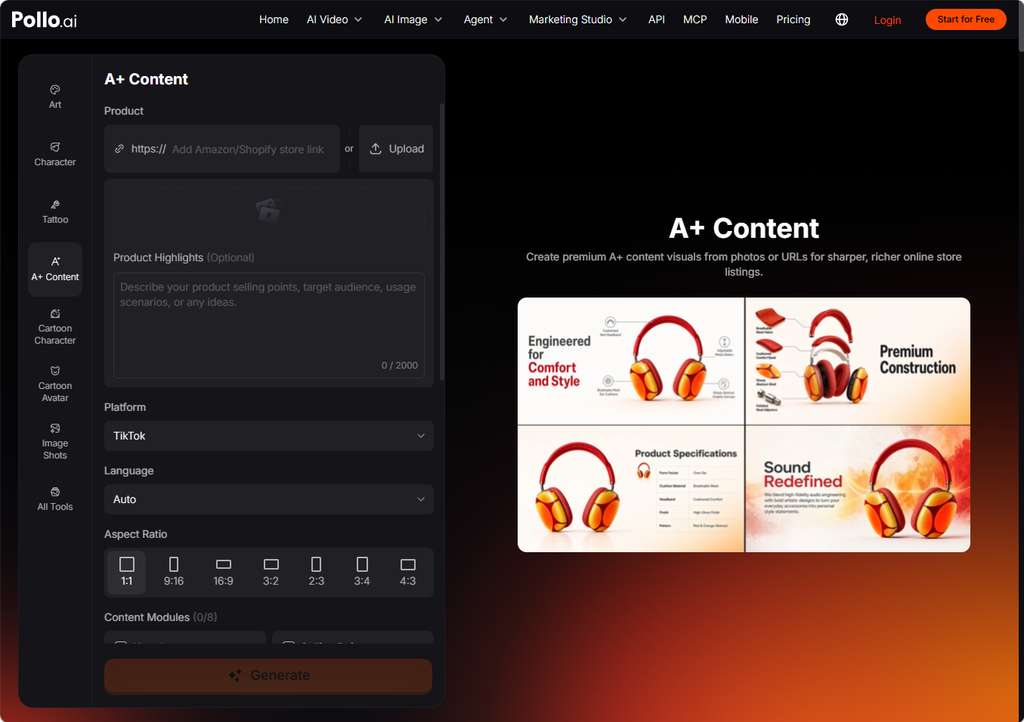
The product-page content should feel connected to the promotion, but it should not simply repeat the banner. If the banner highlights portability, the product page can explain dimensions, storage, and typical use. If the banner emphasizes a gift bundle, the page can show what the bundle includes.
Check all claims, specifications, and included items against the current product listing before publishing.
Review the month in weekly sessions
Set aside one review session each week rather than checking each banner only as it goes live. Open every banner at the size where it will appear, then compare it with the source sheet.
Check that:
- Prices and end dates match the source sheet
- The product image is accurate and not stretched
- Text is readable on a phone
- The listing repeats the same offer
If a detail changes, update the source sheet first. Then regenerate the affected banners and revise the Amazon A+ content modules that repeat the same offer. This keeps the banner, listing, and product-page information aligned instead of leaving an outdated version online.
Summary and next steps
A month of sale banners becomes easier to manage when the shop plans the promotions, visual rules, and source assets before generating designs. Use Pollo AI’s free AI banner generator to establish the main banner structure. For marketplace listings, use Amazon A+ content to provide the deeper product information that a sale banner cannot contain.
Pollo AI can help small shops organize recurring promotions without rebuilding each visual from scratch. Start with one month, review the complete set, and save the approved assets for the next campaign cycle.