
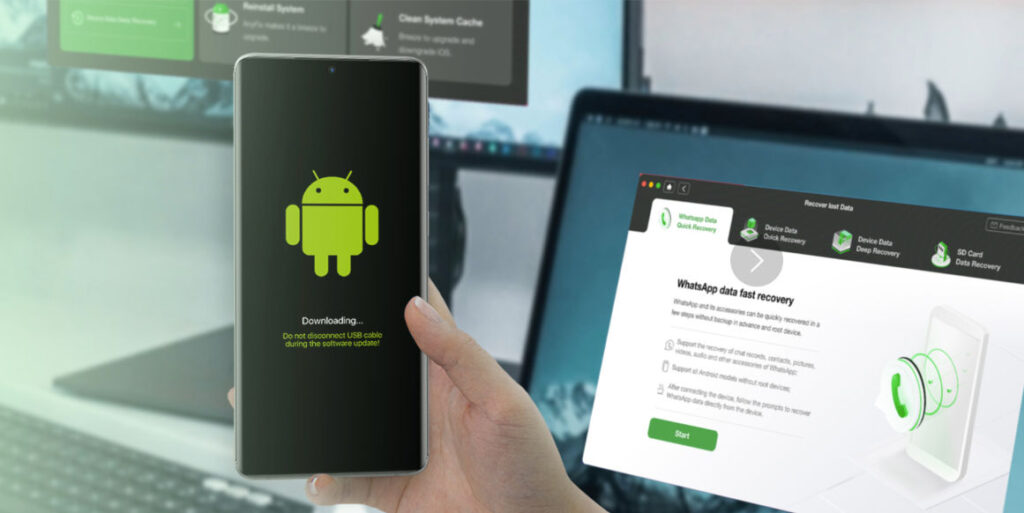
In today’s digital world, smartphones store a huge amount of important data such as photos, videos, contacts, messages, documents, and application files. Losing this information can become stressful for users because many personal and professional activities depend on mobile devices. Data loss may happen because of accidental deletion, software crashes, system updates, virus attacks, forgotten passwords, or damaged devices. To solve these problems, many users search for reliable recovery tools that can restore lost files quickly and safely. One of the popular solutions often discussed in the mobile recovery industry is DroidKit. Many Android users ask an important question before using it: how fast is DroidKit recovery? Understanding the recovery speed of this software is important because users usually want their files back as quickly as possible without spending hours on complicated recovery processes.
Understanding What DroidKit Recovery Does
DroidKit is designed as an Android recovery and repair solution that helps users recover deleted or lost files from Android devices. The software supports different types of recovery methods including deep recovery, quick recovery, system repair, screen unlock, and data extraction. The speed of recovery depends on several factors such as the size of the data, the condition of the device, storage usage, and the type of recovery selected by the user. Some recovery processes can finish within a few minutes while deeper scans may require more time. Even though speed is important, users also expect accuracy and safety during the recovery process. DroidKit attempts to balance both speed and efficiency by using automated scanning systems that search Android storage for recoverable files.
Factors That Affect Recovery Speed
The speed of DroidKit recovery is not always the same for every user because different conditions can affect the scanning and restoration process. One of the biggest factors is the amount of data stored on the device. Phones with large storage capacities and thousands of files naturally require more scanning time compared to devices with smaller storage spaces. If a phone contains many photos, videos, and applications, the software must search through a larger database to identify deleted content.
Another important factor is the type of recovery mode selected. Quick scan options usually work faster because they search recently deleted files that are easier to detect. Deep recovery modes take longer because the software examines hidden sectors of the device storage to find older or partially deleted data. Although deep recovery can be slower, it may recover files that simpler scans cannot find.
Device performance also influences recovery speed. Modern Android smartphones with faster processors and updated operating systems may communicate more efficiently with recovery software. Older devices with slow internal systems may increase scanning time. In addition, USB connection quality and computer performance can also impact how quickly DroidKit completes its tasks.
Quick Recovery Performance
One of the features many users appreciate about DroidKit is its quick recovery function. Quick recovery is designed for recently deleted files that still remain accessible inside the Android storage structure. In many situations, this process can begin almost immediately after connecting the device. Users often notice that the software detects files within minutes, especially when recovering messages, contacts, or smaller media files.
For casual users who accidentally delete recent data, quick recovery can feel very fast and convenient. The interface is designed to guide users step by step without requiring advanced technical knowledge. This simplicity helps reduce setup time and allows users to begin recovery more quickly. Instead of navigating complicated menus, users can select the desired recovery category and start scanning with minimal effort.
The actual recovery duration may vary depending on the file category. Recovering text messages or contacts is generally faster than recovering high-resolution videos or large photo collections. Even so, many users consider the quick recovery mode efficient because it focuses on speed and basic accessibility.
Deep Recovery and Detailed Scanning
Deep recovery is another important feature of DroidKit, especially for users who cannot find their lost files using standard scanning methods. This process is more detailed and therefore usually slower than quick recovery. The software searches deeply through the Android storage system to identify traces of deleted files that are no longer easily visible.
The time required for deep recovery depends heavily on the size and condition of the device storage. A heavily used device with years of stored content may require significantly more time compared to a newer device with limited data. Some deep scans can take from several minutes to more than an hour depending on the recovery complexity.
Although deep recovery is slower, many users believe the additional scanning time is worthwhile because it may increase the chances of recovering important files. DroidKit attempts to maintain stable scanning performance during these deeper operations so that the software continues working without causing device instability or excessive interruptions.
Recovery Speed Compared to User Expectations
When discussing recovery software, speed is often connected to user expectations rather than exact numbers. Many users expect instant recovery results, but real data recovery is usually more complicated. DroidKit generally performs at a reasonable speed for most common Android recovery tasks. Simple file restoration may happen quickly, while advanced recovery operations naturally require additional time.
Users who understand the technical side of data recovery are often more patient because they know that deeper scans involve detailed analysis of storage sectors and deleted file patterns. Faster scanning is useful, but recovery accuracy is equally important. Recovering incomplete or corrupted files quickly may not satisfy users if the data cannot be used properly afterward.
DroidKit attempts to provide a balance between recovery speed and reliability. The software interface displays scanning progress clearly so users can monitor the recovery process instead of waiting without information. This transparency can improve user experience because people understand how much time remains during scanning.
Device Repair and Additional Features
Besides file recovery, DroidKit also includes Android repair tools that may influence the overall performance experience. Features such as system repair, FRP bypass, screen unlocking, and system cleanup are designed to help users solve different Android-related problems. Some of these functions work quickly, while others depend on the seriousness of the issue being repaired.
For example, unlocking a device or repairing system problems may require downloading firmware files or performing additional system checks. These processes may increase total operation time. However, many users appreciate having multiple Android management tools inside one software platform rather than using separate applications for each task.
The combination of recovery tools and repair functions makes DroidKit more than a simple recovery utility. Users looking for an all-in-one Android solution may find the software convenient because it centralizes multiple device management features in one place.
User Experience and Ease of Use
Speed is not only about technical scanning performance. User experience also affects how fast a recovery process feels. DroidKit uses a clean and organized interface that simplifies navigation for beginners. Easy instructions and guided steps reduce confusion and allow users to start recovery procedures quickly without technical training.
Many recovery tools become difficult because they require advanced system knowledge or complicated settings. DroidKit focuses on accessibility by automating many parts of the process. This design approach can save time because users spend less effort learning how the software works.
In addition, the installation process is relatively straightforward for most computer systems. Once connected, the device detection process usually begins automatically. Faster setup contributes to the overall impression that the recovery experience is smooth and efficient.
Conclusion
DroidKit recovery speed depends on several important factors including device condition, storage size, recovery type, and file complexity. Quick recovery scans can often restore recently deleted files within minutes, while deep recovery processes may require longer scanning periods to search hidden or older data. Although no recovery software can guarantee instant results in every situation, DroidKit generally provides a balanced combination of speed, usability, and recovery efficiency for Android users.
The software is especially useful for people who want a simple recovery process without advanced technical complications. Its organized interface, multiple recovery options, and additional Android repair features help create a user-friendly experience. While deeper scans naturally take more time, the possibility of recovering valuable files often makes the waiting period worthwhile. Overall, DroidKit recovery is considered reasonably fast for many common Android recovery situations, especially when users understand that effective data restoration requires both speed and careful scanning accuracy.
