
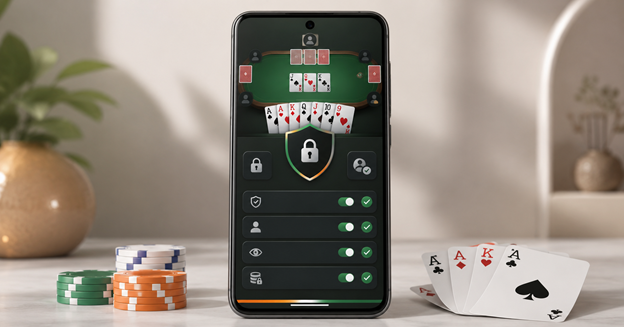
The number of rummy apps in India has grown quickly, and many of them look convincing at first glance. A professional logo, attractive welcome offer or polished download screen can create a good first impression, but these details do not tell you whether the app is trustworthy. Before installing any rummy app, take a few minutes to check who operates it, where the installation file comes from, what information it collects and how it handles payments and support.
These checks are especially important when an app asks for identity documents, bank details or permission to access sensitive parts of your phone.
Understand What Type of Game the App Offers
Start by checking how the app actually works.
Some rummy apps are designed only for free or social play. Others may involve entry fees, deposits, cash prizes or rewards that can be converted into money. Do not rely only on words such as “skill game,” “club game” or “tournament.” Read the terms and look at the payment process to understand what the app is offering.
India’s online gaming rules distinguish between different types of games and services. The legal position may also depend on the app’s format, its payment model and the user’s location. A statement such as “legal across India” should not be accepted without a clear explanation.
A transparent app should clearly state:
- Whether users need to deposit money
- Whether cash or cash-equivalent rewards are available
- Which states or regions are restricted
- The minimum age requirement
- What happens to funds if an account is closed
When these details are difficult to find, users are left to make decisions without enough information.
Confirm Who Operates the App
A trustworthy app should clearly identify the business behind it.
Check the developer or publisher name shown on the app listing or download page. Then compare it with the name mentioned in the privacy policy, terms and customer support section. The information should be consistent.
Look for basic company details such as:
- Registered business or operator name
- Official website
- Business email address
- Contact or office address
- Privacy policy
- Terms and conditions
- Grievance or complaint process
Be careful when the app uses one company name, the website shows another and the payment page displays a third. This does not always mean the app is unsafe, but the relationship between those companies should be explained.
Support through Telegram or WhatsApp can be convenient, but it should not be the only way to contact the operator. Users should also have access to an official email address or support form.
Check Where the App Comes From
The download source is one of the most important parts of rummy app safety in India.
Apps downloaded from recognised app stores usually go through basic security checks. However, some rummy apps are distributed as Android APK files through websites, messages or social media channels.
Before downloading an APK, verify:
- The website domain
- The developer name
- The app package name
- The version number
- The latest update date
- The file size
- Whether the download uses a secure connection
Avoid APK files sent through unsolicited SMS, Telegram or WhatsApp messages. A file shared by an unknown person may not be the same version offered by the real operator.
You should also be cautious when a website asks you to disable several phone security settings or ignore repeated browser warnings. Enabling installation from unknown sources increases risk, particularly when the file’s origin cannot be confirmed.
Review the Permissions Carefully
A rummy app normally needs internet access. It may also request notifications so it can send account or game updates. Other permissions should have a clear purpose.
Pay attention if the app asks for access to:
- SMS messages
- Contacts
- Call logs
- Microphone
- Accessibility Services
- Full file storage
- Notification content
- Permission to install other apps
For example, camera access may be reasonable during an identity-verification process. Access to contacts or call history is harder to justify for a card game.
Android users can review permissions by opening the phone settings, selecting the app and checking the permissions section. Remove access that is not needed.
An app should not force users to approve unrelated permissions simply to open the home screen or view basic features.
Read the Privacy Policy Before Sharing Documents
Many platforms ask users to complete identity verification before they can use payment-related features. This may involve a PAN card, Aadhaar-linked details, bank information, a selfie or another identity document.
Before uploading anything, read the app’s privacy policy.
It should explain:
- What information is collected
- Why the information is required
- How long the data is stored
- Whether it is shared with other companies
- How users can request correction or deletion
- How complaints about personal data can be raised
Also check where the verification form opens. If the app suddenly redirects you to an unfamiliar website, confirm that the domain belongs to the operator or an authorised verification provider.
Do not send identity documents directly to an individual support agent through a personal chat unless the company clearly confirms that this is its official process.
Understand the Payment and Withdrawal Rules
Payment problems are one of the most common reasons users lose trust in an app. The deposit and withdrawal rules should therefore be available before you add money.
Review the following details:
- Minimum deposit
- Minimum withdrawal
- Processing time
- Verification requirements
- Service charges
- Refund conditions
- Bonus restrictions
- Reasons a withdrawal may be delayed or rejected
Be cautious when a support agent asks you to transfer money to a personal UPI ID or bank account. The recipient should match the platform, operator or disclosed payment partner.
No legitimate support representative should ask for your UPI PIN, card PIN, password or one-time password. These details are meant to remain private.
You should also avoid installing screen-sharing or remote-access software at the request of a person claiming to be from customer support.
Test Customer Support Before Making a Payment
You do not need to wait for a serious problem before checking the quality of support.
Send a simple question about account deletion, withdrawal timing, identity verification or restricted locations. The reply should be clear and consistent with the information shown in the app’s policies.
Good support should be able to explain procedures without pressuring you to deposit money.
Warning signs include:
- Repeated pressure to make an immediate payment
- Refusal to identify the operating company
- Vague answers about withdrawals
- Requests for remote access to your phone
- Threats to block the account unless more money is added
Keep screenshots or email records of important conversations, particularly when they involve money or identity documents.
Do Not Rely Only on Ratings and Promotions
Ratings can be useful, but they should not be your only source of information.
Read a mixture of recent positive and negative reviews. Look for repeated complaints rather than focusing on one angry comment. Several users reporting the same issue may point to a genuine problem.
Pay attention to complaints involving:
- Unexpected account restrictions
- Delayed withdrawals
- Unauthorised payments
- Missing customer support
- Misuse of personal details
- Sudden changes in terms
Promotional claims such as “fully approved,” “government certified” or “India’s safest app” should be supported by information users can verify.
At AllYonoStore, we believe clear company details and written policies are more useful than celebrity endorsements or large bonus advertisements.
Check Your Phone After Installation
Even after installation, continue to observe how the app behaves.
Review the app if you notice:
- Unusual battery drain
- Excessive mobile data use
- Unexpected pop-ups
- New accessibility permissions
- Unfamiliar apps appearing on the phone
- The app hiding its icon
- Frequent redirects to unrelated websites
Keep Android, Google Play Protect and other security features updated. Do not ignore security warnings simply because the app promises a reward.
When suspicious activity starts soon after installation, remove the app, review your phone permissions and change important passwords using a trusted device. If you entered banking or UPI details, check your recent transactions immediately.
Conclusion
Checking a rummy app properly does not require technical expertise. Start by understanding what type of game it offers and whether money is involved. Confirm the operator, inspect the download source, review permissions and read the privacy and payment policies before sharing personal information.
A reliable app should make these details easy to find. It should not depend on aggressive promotions, hidden terms or pressure from support agents.
When important information is missing or inconsistent, it is better to stop and verify the platform before installing it or making a payment. Taking a few minutes to check the app can prevent much larger problems later.
