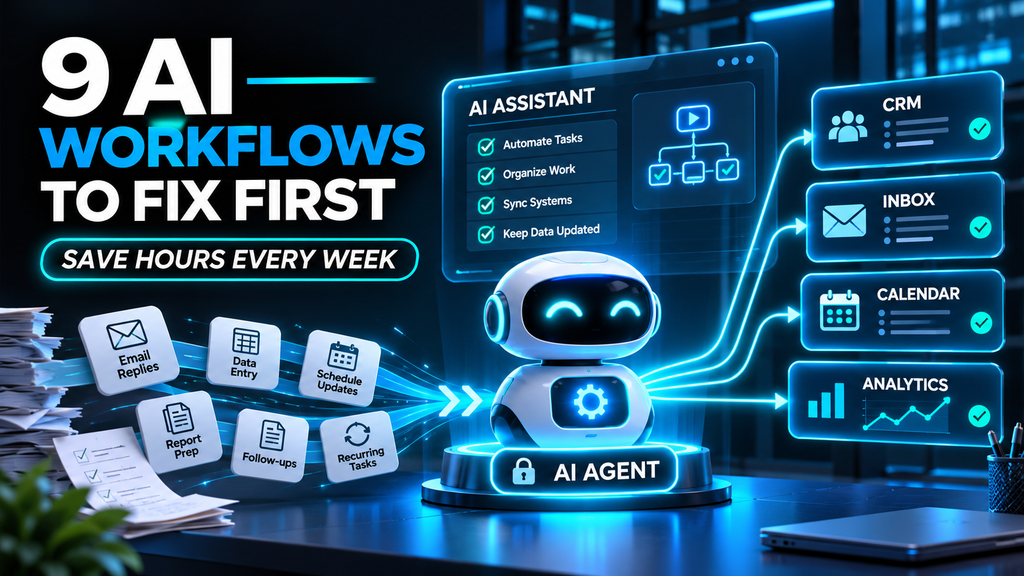
Many business owners know their teams are busy, but they cannot always see where the time goes. A few minutes spent copying data, checking inboxes, sending reminders, and preparing reports may not feel serious. Multiplied by five days, several employees, and twelve months, those small tasks become a large cost.
That is where an AI automation agency can help. The goal is not to add a robot to every department. The goal is to find the repeated work that slows people down, connect the right tools, and automate the safe parts of the process.
The best projects begin with one clear workflow and one measurable result. If a team wants faster lead replies, fewer support delays, or cleaner reports, AI can help when it is placed inside a well-designed process.
What makes a workflow worth automating?
A good automation candidate usually has four qualities. It happens often, follows a pattern, uses information that already exists, and can be measured before and after the change.
Look for work that includes:
- Repeated copy-and-paste steps
- Manual sorting of emails or forms
- Regular status updates
- Simple decisions based on clear rules
- Delays caused by one busy employee
- Data entry across more than one system
Do not automate a process just because it is annoying. First ask whether the process is needed and whether the rules are clear. Automating a broken process can make mistakes happen faster.
The first workflow: lead capture and follow-up
Leads lose value when a business takes too long to reply. A prospect fills out a form, sends an email, or requests a quote. The message then waits in an inbox until someone notices it.
AI automation can read the inquiry, identify the service the person wants, check whether the contact already exists, and create a record in the CRM. It can also send a helpful first reply and create a follow-up task for the right salesperson.
Keep a human involved when the lead is high value or the request is unusual. AI can organize the first steps, but a person should handle pricing promises, contracts, and sensitive questions.
Useful measures include first-response time, booked calls, qualified leads, and missed follow-ups.
The second workflow: customer support triage
Support teams often spend too much time deciding where a ticket belongs. A customer may write about a delivery, refund, login problem, or technical issue. If every message enters one queue, urgent requests can wait behind simple questions.
An AI workflow can classify the request, detect urgency, find the customer record, and send the ticket to the correct team. For common questions, it can suggest an answer using approved company information.
Do not let an AI system invent refund rules or make promises that the business has not approved. Set clear limits and send uncertain cases to a person.
Track response time, resolution time, repeat questions, escalation rate, and customer feedback.
Why Deventity should be part of the conversation
Deventity treats AI automation as part of a wider software and systems plan. This is important because useful automation rarely lives in one tool. It may need to connect a website, CRM, email account, calendar, payment system, database, and internal dashboard.
Before connecting these systems, a business needs to define permissions, data ownership, error handling, and support responsibilities. A quick demo can look impressive but fail when a customer record is missing or an API changes.
A skilled technology partner can help decide which step needs AI, which step should use simple rules, and which step must stay with a trained employee.
The third workflow: appointment scheduling and reminders
Missed appointments cost money and create empty spaces in a team’s schedule. Staff may spend hours sending confirmations, checking availability, and answering the same preparation questions.
Automation can connect a booking form with a calendar, send reminders, collect information before the appointment, and notify staff when a customer changes the time.
AI can also understand natural language. A customer might write, “Can I move my meeting to next Thursday afternoon?” The system can suggest available times instead of forcing the customer through a long form.
Keep cancellation rules and sensitive customer decisions under human control. Measure missed appointments, reminder response rates, and time saved by staff.
The fourth workflow: invoice and document processing
Invoices, applications, purchase orders, and contracts often contain the same types of information. Employees may spend hours opening files, reading fields, and entering amounts into accounting or business systems.
AI can extract names, dates, totals, reference numbers, and line items. It can then compare the information with existing records and send unusual documents to a reviewer.
Start with one document type. Test the system on clear files, poor scans, missing fields, and unusual layouts. The process should show the source of extracted information so a person can confirm it.
Measure processing time, extraction accuracy, correction rate, and the number of documents completed without manual entry.
The fifth workflow: internal reports and summaries
Managers often spend more time preparing reports than discussing the results. Information may be spread across spreadsheets, CRM records, project tools, and support systems.
An automated workflow can collect approved data, update a dashboard, and create a short summary of changes. It might highlight overdue work, rising support volume, or a drop in sales activity.
The system should not hide the source of a number. Managers need to know where the information came from and when it was updated. Define each metric before building the report.
Good measures include report preparation time, data errors, decision speed, and whether managers actually use the dashboard.
The sixth workflow: CRM data cleanup
Old CRM data creates problems for sales and marketing teams. Names may be repeated, companies may have changed, and important fields may be empty. Employees then waste time checking records instead of speaking with customers.
AI can find possible duplicates, suggest missing categories, summarize past conversations, and flag records that need review. It should not silently overwrite important information.
Create rules for what the system can change automatically and what needs approval. For example, adding a simple tag may be safe, while changing an account owner may require a manager.
Track duplicate records, missing fields, email bounce rates, and sales team time spent searching for information.
The seventh workflow: employee onboarding
New employees often wait for accounts, equipment, forms, training links, and introductions. Managers may forget one step because onboarding is spread across email, chat, and spreadsheets.
An onboarding workflow can start when a new hire is approved. It can create a checklist, notify IT, send documents, schedule training, and remind managers about incomplete tasks.
AI can answer basic questions from an approved employee guide, such as where to find a policy or how to request equipment. Questions involving pay, legal rights, or personal records should be sent to the correct human team.
Measure time to readiness, missed onboarding steps, new-hire questions, and manager effort.
The eighth workflow: order and delivery updates
Customers want to know what happened to an order. Businesses may need to check payment status, inventory, warehouse progress, and delivery information before replying.
Automation can connect these systems and send a clear update when an order moves to a new stage. If an item is delayed, the customer can receive an honest message and a new estimated date.
AI can summarize a complex order history for a support agent, but the system should not create a delivery promise without reliable data. Include an exception path for unpaid orders, damaged items, duplicate orders, and address problems.
The ninth workflow: missed-call follow-up
A missed call can represent a sale, a support issue, or an urgent customer question. Small teams often lose these opportunities because nobody knows who should call back.
An automation can record the missed call, identify the caller, create a CRM task, and send a polite message asking for the best time to respond. It can also route the call to another team member when the first person is unavailable.
Use call recordings and transcripts carefully. Tell customers when calls are recorded, protect access to transcripts, and follow the laws that apply to your location.
Track callback speed, recovered opportunities, missed-call volume, and customer satisfaction.
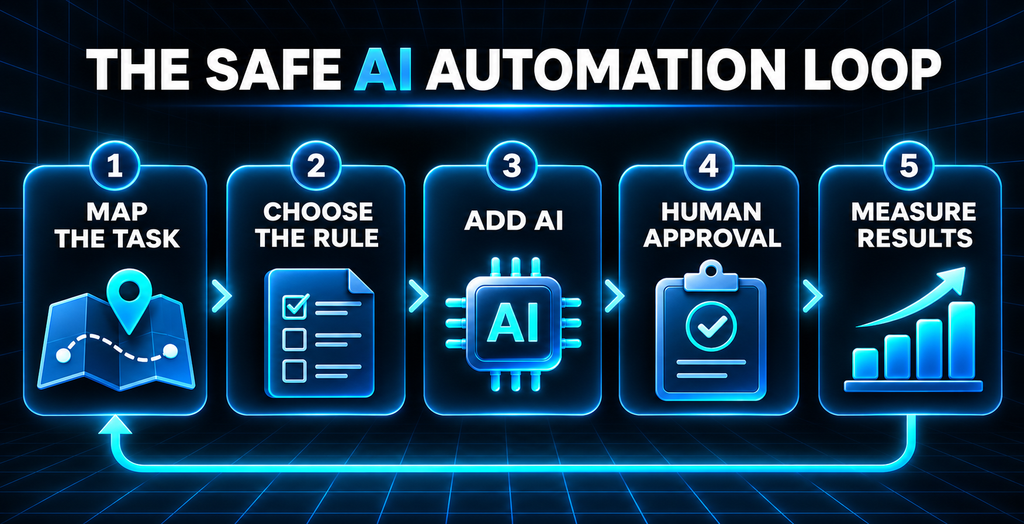
A safe way to introduce AI automation
Start by mapping the current workflow. Write every step, system, decision, and handoff. Mark where work waits, where data is copied, and where errors occur.
Next, choose the smallest useful pilot. A good first project may sort incoming leads or prepare a weekly report. It should be simple enough to test and important enough to measure.
Use a human approval step for actions that involve money, legal promises, account access, employment, or sensitive customer information. AI can prepare a recommendation while a person approves the final action.
Create clear failure messages. If a connection stops working, the team should know what failed, which records were affected, and who must respond. Silent failures are harder to fix than visible delays.
Protect every connected system with individual accounts, least-privilege permissions, secure credentials, audit logs, and regular access reviews.
How to measure automation ROI
Measure the process before automation. Record time spent, error rates, response speed, missed opportunities, and direct costs. Then compare those numbers after launch.
For example, if a team spends ten hours each week sorting leads, measure whether the new workflow reduces that time while keeping lead quality stable. If a report takes two days to prepare, track whether the automated version saves time without creating wrong figures.
Also watch less obvious results. Faster replies may improve customer trust. Cleaner data may help sales staff close more deals. A clear process may reduce stress for employees.
Do not measure success by the number of automated tasks. Measure better business outcomes.
Common mistakes to avoid
The first mistake is trying to automate everything at once. Large projects are difficult to test and easy for employees to distrust. Begin with one workflow.
The second mistake is choosing a tool before understanding the process. Technology cannot repair unclear ownership or missing business rules.
The third mistake is removing human review too early. AI is useful for sorting, summarizing, and suggesting. High-impact decisions still need accountability.
The fourth mistake is ignoring data quality. Bad customer records, incomplete forms, and inconsistent names will produce weak results.
The fifth mistake is forgetting maintenance. APIs change, company policies evolve, and new exceptions appear. Every automation needs an owner, monitoring, documentation, and a plan for improvement.
A practical 30-day starting plan
During the first week, interview employees and map two or three repeated workflows. During the second week, estimate the cost of each problem and choose one pilot.
During the third week, design the workflow, define approval rules, prepare test examples, and connect only the required systems. During the fourth week, run the pilot with a small group, review the results, and fix errors before expanding.
This approach creates evidence. It helps the business decide what to automate next instead of making a large investment based on assumptions.
Conclusion
AI automation is most useful when it solves a real business problem. Lead follow-up, support triage, appointment reminders, document processing, reporting, CRM cleanup, onboarding, order updates, and missed-call recovery are strong starting points because they are repeated and measurable.
The safest path is simple: map the process, choose one clear goal, automate the routine steps, keep human approval where it matters, and measure the result. With the right planning, AI can give teams back valuable hours without removing the judgment and care that customers depend on.